Car Diag technical team
MBito: Mercedes coding and diagnostics
MBito connects a Mercedes-Benz to a mobile app through an OBD2 Bluetooth device. Before choosing it, check your vehicle generation, intended function and required equipment. This guide takes you through that process.
Check the vehicle first
Select the class, then the generation and model year in the compatibility table. Open each function to read its requirements, warnings and activation information. If the generation is missing or the description is unclear, ask for a check before ordering.
The list shows functions for a vehicle generation, not confirmation for an individual car. Equipment, control units and software versions may limit availability. Confirm your specific vehicle and intended function before buying.
Check compatibilityFeature examples and requirements
These are examples from the catalogue, not a package guaranteed for every vehicle. Open the details, then compare support for your generation.
- Car Diagnostics
Comprehensive diagnostics for all vehicle modules including engine, transmission, ABS, and airbags
- Carplay
Enable seamless smartphone integration with your infotainment system
- AMG Cluster Menu
Activates AMG-style menu displaying gearbox/oil temperatures, lap timer, G-Meter, and digital speed for a performance-focused driving experience
- Live Data
Stream live data directly from your car’s brain to your phone.
- Service Reset
Completed your own oil change? Use this feature to reset the ASSYST PLUS service indicator.
- Start/Stop System Memory
Stop manually pressing the disable button on every journey.
What do the device and 20 credits include?
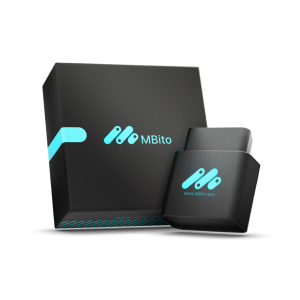
MBito OBD device + 20 credits
The device includes 20 credits. Individual activations and packages may require additional credits or in-app purchases. A function listed here is not necessarily included in the device price.
The device connects the car to the app. Credits are not a vehicle count or a promise of 20 activations. Before confirming an action in the app, check the required credit amount or additional package. A function listed here is not a separately purchased activation code.
Device detailsFrom device to function
- Plug MBito into the vehicle’s OBD2 port.
- Install the official MBito app for iOS or Android and connect the device via Bluetooth.
- Check the vehicle, function availability and any charge in the app before activation.
Coding is not fault repair
Reading fault codes helps investigate a problem, but clearing a code alone does not repair the fault. Coding cannot install a missing module or infotainment hardware. For more demanding workshop tasks, identify the vehicle and procedure first, then choose a tool that explicitly supports them.
Only carry out service procedures with the appropriate expertise and in accordance with manufacturer instructions. Coding cannot add missing hardware. Local rules apply to safety functions and road use.
Unsure what your vehicle supports?
Give Car Diag support the model, generation, model year, installed equipment and intended function. Support can help compare the information; a model appearing in the table is not VIN-specific confirmation.
Send an inquiryBased on the official MBito Partner API and manufacturer guidance.